
Try the MTS160 on your own vehicle. Free.
We'd rather you measure the sensor than read about it. If you build or integrate AGVs, AMRs or tuggers, whether replacing another magnetic sensor, adding millimeter docking to a laser-guided robot, or starting a new design, we'll send you the sensor, tape and markers for a first test at no charge.
- ✓One kit per company, for engineers with a vehicle or a bench to put it on. Not for resale.
- ✓No purchase order, no invoice, no supplier onboarding. Yours to keep.
- ✓What we ask in return: connect it, and tell us how it went.
Request your kit
Five fields. We review every request personally and reply within one business day.
Thanks for your interest.
The free kit is reserved for engineers who plan to put it on a bench or a vehicle and tell us how it went. That's what keeps it free for everyone. It looks like that isn't the right fit today, and that's fine.
Two other ways to get started:
- •Order an MTS160 from the shop: in stock, ships from the US or Hong Kong.
- •Tell us about your project and we'll suggest the best way to evaluate.
What's in the box
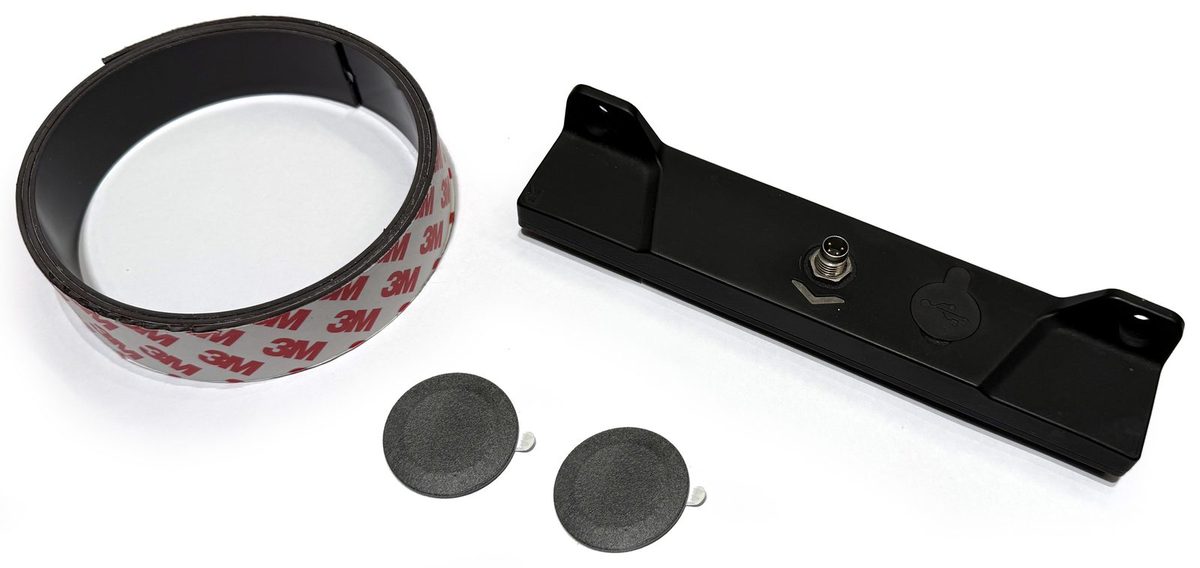
Exactly what a first bench test needs, and nothing you'll throw away.
-
1
MTS160 sensor
The full production sensor, not a demo unit. 160 mm sensing width, 1 mm position and 1° angle resolution, 200 Hz, IP54. CANopen, RS232 and USB-C on board.
-
1 m
25 mm magnetic tape
Enough to lay a straight, a curve and a fork on the bench and watch position and angle react. The same tape we sell by the roll.
-
2
Point markers
Disc magnets for millimeter-precise X/Y positioning: the feature behind docking, charging and stop positions.
An engineer reviews every request and replies within one business day. Once approved, the kit ships from our EU logistics centre the same week, with the printed integration example for your controller.
Ten seconds to live data
No software to install, no driver, no power supply. The MTS160 is plug and play.
-
1
Plug it in
Connect the sensor's USB-C port to a laptop or a phone. It powers on over USB; nothing else to wire.
-
2
The utility opens by itself
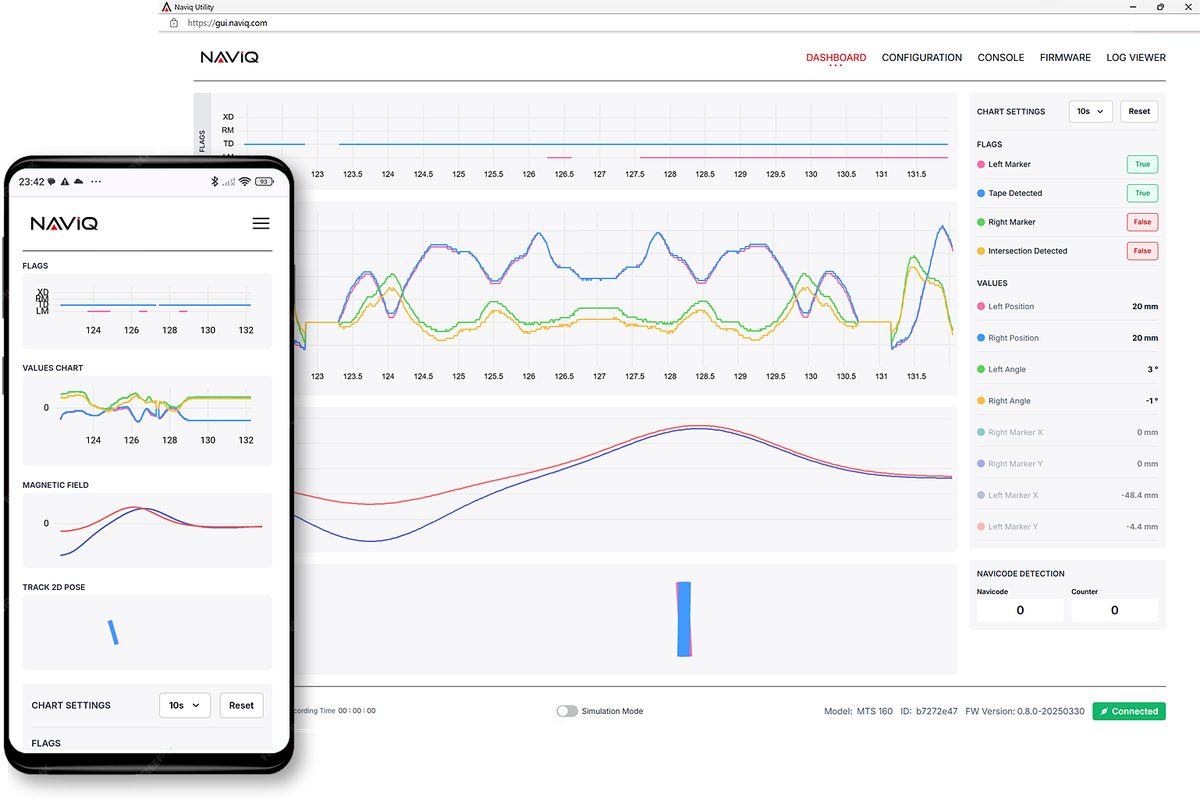
The sensor announces itself and the Naviq web utility opens in your browser automatically: no download, no install, no configuration. If it doesn't pop up, go to gui.naviq.com and connect.
-
3
Lay the tape and watch it react
Slide the metre of tape under the sensor at an angle. Position, angle, polarity and the two markers update live at 200 Hz. From the same page you can chart the magnetic field, change the operating mode, save logs and update the firmware.
-
4
Then put it on the AGV
For the vehicle test, connect the sensor's M8 connector to your controller over CANopen or RS232 (cable not included).
Questions
Do I have to send it back?
No. The kit is yours to keep, whether or not you go on to design the MTS160 in.
What do I need to run it?
A laptop or phone. The sensor is powered over USB and the web utility runs in the browser. For a vehicle test you'll also want an M8-4 cable to your controller; we sell straight and right-angle versions in the shop.
Which integration examples do you include?
We print the example that matches the controller you select: PLC over CANopen, embedded MCU or Linux SBC. All examples are also on GitHub.
Why only one metre of tape?
One metre is enough to see everything the sensor does on a bench: position, angle, polarity, a fork and the two markers. For a track on the floor, tape is available by the roll in 25 mm and 50 mm widths.
Do you ship to my country? Who pays duties?
Kits ship worldwide from our EU logistics centre. Inside the EU there are no import formalities; elsewhere duties may apply, and we tell you before shipping.
What happens after the evaluation?
We ask for a short exchange about what you found. If the sensor fits, you can order from the shop or talk to us about OEM pricing and volumes. If it doesn't, we'd still like to know why.
Do I need an account?
No. The request form and a shipping address are all it takes.